Search This Site

Custom Search
|
 |
|||
How A Hard Drive Works?What is a Hard Drive?Understanding how a hard drive works (what is a hard drive?) is part of building your own computer. Install new hard drive successfully. Make sure that you also have access to good hard drive recovery tools; just in case things go wrong. Learning more about hard drives (including how to install new hard drive or replacing a hard drive) can give you a solid foundation when you decide to build your own computer or to do a simple upgrade. When you know how a hard drive works, shopping for a new drive will be easier as you will know what to look for in a drive. You will also understand what the geek at the computer store is talking about when he starts spouting off numbers and abbreviations to you. This article will take a look at what is a hard drive? It explains platters and spindles, actuators and heads. It also takes a look at how hard drives actually store and retrieve data. Hard drive capacities, and read/write times are covered on the replacing the hard drive page. This will give you a solid foundation on what to look for when you are planning to purchase a new hard drive.
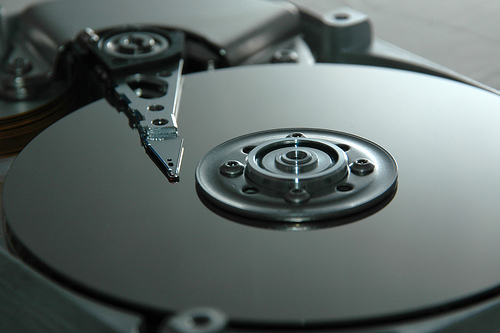
How a Hard Drive Works?A hard drive, also known as a hard disk drive (HDD) or disk drive, is a non-volatile memory device, meaning that it will retain its information even when no power is present. This is accomplished through digitally storing the data on rapidly spinning platters with a magnetic surface. This is how hard drives work. The data storage medium, the platter, is a circular disc which has a magnetic surface that actually stores the data. Hard drives will typically have multiple platters on which to store data. These platters are usually made out of aluminum or glass substrate. A thin coating is applied to each side of the hard drive during manufacturing to apply the magnetic surface. That is covered by a carbon based overcoat, and on top of that is a extremely thin layer of lubricant. The surface is then tested for smoothness and balance by what is called a 'flying head'.
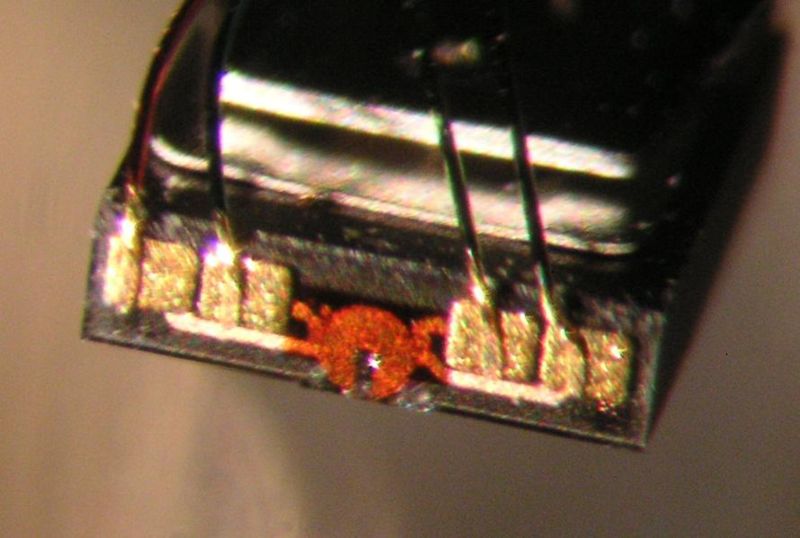
The flying head is what actually reads and writes the data on the platters. When the platters spin, the read/write head will 'fly' over the top of the platter at a distance of about 3 nanometers, or 3 billionths of a meter. The height of the head is controlled by a combination of an air-bearing, and the spindle. The spindle relies on air pressure inside the hard drive to maintain that height. Should the head drop too low and touch the platter, you will get what is called a head crash. Head crashes can occur from sudden power loss, physical shock such as dropping the drive, wear and tear over long periods of time, or poorly manufactured platters. Head crashes are not a good thing. They can cause data loss by grinding away the thin magnetic film that covers the surface of the platter. If you start having problems with a particular application or your operating system, and you recently kicked or dropped your computer, this may be the cause. A hard drive head is wrapped in a wire coil. When data needs to be written to the platter, the coil will energize and a strong magnetic field will form in the middle. The surface of the platter underneath the head will then magnetize. When it needs to read data from the platter, the magnetized area on the platter passes by the head. The magnetized area concentrates the field, and energizes the coil. Keep in mind that this entire process is happening extremely fast. On average, a hard drive’s platters spin at 7200 RPM, or 120 times per second. Now that you know how a hard drive works, it's important that you also recognize that a hard drive crash or failure could result in a serious loss of data. If you do not have a hard drive data recovery services plan (or software) ready, you could be in trouble (especially if you are using your computer to store important information). Do put together a hard drive recovery tools plan. If you are interested in learning how to install a hard drive, check out this article. |
What's New |
|||
|




|
||||
|
| Home Page | Motherboards | CPU | Memory | Computer Drives | Graphics | Power Supply
| Input Devices |
| Output Devices | Cooling | Cases | Modems | Troubleshooting | Computer Guides | Buying Guide | | Free Games | Computer Software | Green Computers | Ultra Mobile PC | Glossary | Builder's Corner | | Site Index | Contact Us | Advertising | Return to top
Copyright© 2008-2014. Voice Marketing Inc. All Rights Reserved. Read our Privacy Policy. |
||||