Search This Site

Custom Search
|
 |
||||
Gaming Computer HardwareTo Play Internet GamesA gaming computer needs capacity and memory to handle computer game graphics and to play internet games with speed. How to build gaming computer to handle the games resource demand? If you are looking to put together a gaming computer, this is the build for you. All the components that go into this build are top quality, and near or on the cutting edge. If you are here, then money is not as much of an issue as getting a fast solid computer. I have priced these components from the top online eTailers, but you may be able to find some of them at a lower cost. I did this because if you are going to spend this much on a computer, you want to make sure it's backed up by a reputable company. And speaking of fast computers, I would recommend Windows 7 or 8 for this build. Vista is a resource hog and will only cause you headaches. On the flipside, Vista does have DirectX 10.1, so the choice is yours.
Let's start with the processor. When you want the fastest for your gaming computer, the choice is Intel. The Intel Core 2 Extreme QX9770 is an awesome processor. With a 45nm core, 1300MHz front side bus, and 12MB of L2 cache, this thing screams. This thing runs at 1600MHz front side bus, so if you want the fastest and the best, this is the one.
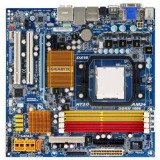
We're going to need a motherboard that supports that processor. If you want a board that has all the bells and whistles, and can overclock your gaming computer as well, then the EVGA 132-CK-NF79-A1 is what will be right for you. This board is setup for SLI, which we will use, can support the 1333MHz front side bus, and will go up to 1600MHz for future expansion. There are a ton of other features on this board that I won't go into here, but check out the links if you want more detail. This board is hard to find sometimes, so you may have to search around a bit.
Next we need some fast RAM. No use bottlenecking our gaming computer with slow RAM. I chose Corsair DDR2 XMS PC 6400 kit. 2 sticks of RAM, matched up for speed, for a total of 4GB. Windows 32 bit versions will only see 3 of that, but that's ok, we're not skimping here.
We will of course need a case that will house everything nicely. We'll want one that is set up for water cooling as well. I'm going with the Silverstone TJ09-BW Aluminum ATX Mid Tower Case. This is one nice case with room to spare. We'll need that room for our water cooling. It's a tool-less case, so everything is nice and modular, perfect for a gaming computer.
What would a gaming computer be without a couple graphics cards to make it all look pretty. The choice is clear, have to go with the EVGA GeForce 280 GTX. This card sports 1GB GDDR3 memory, and runs on PCI-E 2.0 with a core clock of 620MHz. With 2 of these in SLI, it will run anything you throw at it, and then some.
With all this power in our gaming computer, we're going to need something that can provide the juice. That means a monster power supply. I have to go with the CoolerMaster Real Power Pro 1000W power supply. This thing is sweet. Modular cables so you only use the ones you need and 4 12V rails that'll provide the power you need for those dual 9800GX2's.
With so much power flowing through this system, it's going to produce some heat. To complement the case air cooling that is in place, we'll add water cooling for the CPU, and if you so desire, the graphics cards and the northbridge. Now I'm going with a kit here, but some of you may prefer to buy piece by piece. Swiftech's H2O 220 Apex system is a great deal. It is setup for CPU only, so you will need additional parts if you plan to add your graphics cards in the loop.
Now we need something to install all those games on. Of course, we want to try and reduce the bottleneck from the hard drive. It will always be there, but we can help it out a bit with a Western Digital Raptor 150GB 10,000 RPM drive. This is a sweet drive and has gotten nothing but excellent reviews, and will work perfectly for our gaming computer.
For data storage in our gaming computer, we'll get a nice big drive, the Seagate Barracuda 1TB 7200 RPM drive. Average speed for a hard drive, but with 1TB of storage space, it'll keep you in business for a long time.
Need to have a DVD drive to burn those movies and install all the software. I am staying away from Blu-ray here, as in my opinion, it's just not worth the price yet. LightScribe tech has come down in price, so may as well have that on the drive. I recommend the HP 24X Multiformat DVD Burner Black SATA Model 1270i LightScribe Support CD / DVD burner. This model will adjust speed to burn inferior media, comes with sata cable and software, makes a cool disk label in about 18 minutes.
You'll want a nice big monitor to game on, I know I do. The Samsung 245BW 24" LCD monitor will give you a great view. At 24 inches, you'll have plenty of space both in gaming and on your desktop.
Finally, with all this, you really should have some good sound. Fortunately, our Asus motherboard came with a great little soundcard that'll plug right into a PCI slot. With 7.1 surround, you can't ask for much more. Unless you are a professional musician using your computer for recording, this card will do just fine.
So, to total it all I have used approximate prices - your costs may vary depending on where you shop:
Wow - that's quite the price tag. But it'll run anything you throw at it, and it'll run it for a couple years to come. The only upgrade you might need within that time would be video cards. That processor will be excellent for many years.
Mods
One Final Note: Prices on computer components are changing all the time. Always shop multiple sites to find the best price. Also if you have the time, wait until the two busiest sales periods during the year (for the best sales): August (pre-school) and December (Christmas purchases). And remember that new upgrades and versions come out all the time; so if the components I've listed are 'gone' then look for the next best part; the great thing about computers is that they are always evolving and continuously improving (hard to keep up with but great for improving on quality and functionality).
Return to Computer Buying Overview from Gaming Computer. Return to Build Your Own Computer Home Page. |
Build My Own Computer
Read about how Don from the Netherlands built his own computer system using this how-to guide. Computer Software
Software for your system is more than the standard office type of product (such as a word processor, a spreadsheet program and more). You also need to consider the software that operates your system and that helps it to operate efficiently (and to troubleshoot it when it doesn't run). Make sure that you develop a working knowledge of what's available in these areas: operating systems to run your computer; monitoring software to protect your computer; utilities for managing and reporting on the functioning of components, such as the CPU and HD; benchmarking which will compare speed, BIOS and hardware details to other systems; and applications (such as a word processor) to run on your computer.  |
||||
|




What's New
Need help diagnosing computer problems or challenges? Check out our troubleshooting page for common computer building issues. |
|||||
|
| Home Page | Motherboards | CPU | Memory | Computer Drives | Graphics | Power Supply
| Input Devices |
| Output Devices | Cooling | Cases | Modems | Troubleshooting | Computer Guides | Buying Guide | | Free Games | Computer Software | Green Computers | Ultra Mobile PC | Glossary | Builder's Corner | | Site Index | Contact Us | Advertising | Return to top
Copyright© 2008-2014. Voice Marketing Inc. All Rights Reserved. Read our Privacy Policy. |
|||||