Computer Keyboards
Build Your Own Computer
Computer keyboards are necessary input devices for your system. When you build your own computer, learning the computer keyboard features, and differences, is important. What is an input device? Find out more.
Computer keyboards are one of the main input devices on a home computer. Using the keyboard, you can type a document, play a game, access menus, and many other things. Keyboards are being used for much more than writing text. Multimedia keyboards have shortcut keys to control everything from your web browser, to email, to an MP3 player. The standard keyboard has 101 keys, but you can find keyboards with anywhere from 80 to 130 keys.
Keyboards are laid out in different patterns, the most common being the QWERTY layout. However, other layouts exist, such as Dvorak, which places all vowels on the left side, and common consonants on the right. Other layouts include AZERTY, Colemak and QWERTZ.
Aside from Colemak and Dvorak, which are named for the creators of the layout, layouts are named for the first 6 characters on the top row of characters starting on the left.
How Keyboards Work
 Keyboards are based on the original typewriters and retain the same layout today as they did then. However, they now bear little resemblance to those typewriters.
Multimedia buttons, foldable keyboards, roll-up keyboards, and the ability to program your own keys are all examples of new functionality.
Underneath that all however, they all pretty much operate the same.
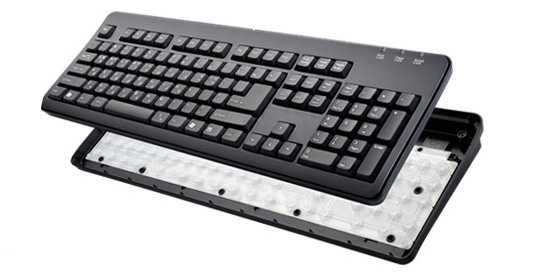
The inside of keyboards are a bit like a computer. Most keyboards contain a small processor and circuitry that translates the signals that are sent to the computer. The majority of the circuitry makes up what is called a key matrix.
This is simply a grid of circuitry that sits below the keys and detects when a key is pressed. When you press a key, the circuit is completed and a small charge is sent to the keyboard processor. This signal is then compared with the keyboard's internal key map to determine which key was pressed, and that information is sent to the computer's processor.
There are a number of key differences between keyboards; learning the computer keyboard advantages, features and benefits is important in your computer build (also consider a computer keyboard stand that addresses ergonomic issues).
To get this information to the computer's CPU, the keyboard needs a connection. This can take 3 main forms: PS/2, USB, and wireless. All keyboards require some amount of power. The PS/2 and USB keyboards get their power through their cabled connections, while a wireless keyboard will require a battery.
Purchasing A Keyboard
Purchasing a keyboard is a combination of personal choice and planned use. Some things to take into consideration:
-
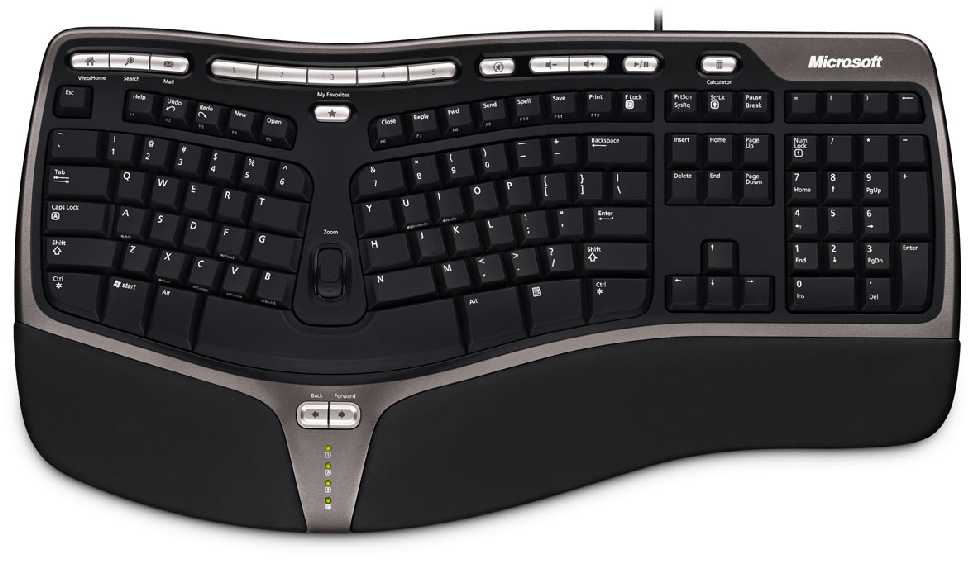
Ergonomic or not? Ergonomic keyboards are split and seperated down the middle to reduce the strain on the hands and wrists while typing. If you do a lot of typing, this may be the keyboard for you. Don't forget to consider the height of your desk and keyboard; you may need a computer keyboard stand to ensure the right height and reach.
-
Multimedia keyboards allow you to do common fuctions in a single button press. Multimedia keyboards will add buttons that allow you to access your email, open your web browser and go to the homepage, or control your music player with a single button press.
-
Gaming keyboards are designed with gamers in mind. These come in all sorts of layouts, from basic to specialized. There are a couple companies that make keyboards specialized for specific games like World of Warcraft or Doom 3. Z-Board is one of these. Their keyboard is modular with layouts made for specific games.
-
Keyboards can range in price from $9.99 - $149.99.
What is an Input Device? Find out more. Return to Input Devices from Computer Keyboards
Return to Build Your Own Computer Homepage